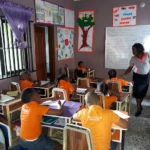
This is especially relevant for families with children at De-Joyland School in Yaba, Lagos. The school describes itself as a technology-driven learning environment and says it provides modern computer laboratories and interactive whiteboards alongside its academic programmes.
De-Joyland School was established in 2010 and operates at Zada Estate, off Iwaya Road, Onike, Yaba. The school offers prep, nursery and primary education and combines British and Nigerian curricular approaches.
A Laptop Can Extend Learning Beyond the Classroom
A child does not have to wait until school hours to practise computer skills. With a suitable laptop at home, pupils can continue learning through educational websites, digital books, assignments and age-appropriate learning applications.
For a De-Joyland pupil, a laptop can be useful for:
- Typing and keyboard practice
- School assignments and projects
- Reading digital learning materials
- Creating simple presentations
- Educational videos and tutorials
- Basic research with parental guidance
- Learning introductory coding
- Developing general computer literacy
This complements the school’s stated emphasis on modern technology and digital literacy. Its official website also highlights computer labs and technology-supported classrooms.
Parents who want to understand how technology is changing education can also read our article on
digital learning in Africa.
"Give thanks to the Lord for He is good: His love endures forever."
What Makes a Good School Laptop?
A school laptop does not need to be powerful enough for gaming or professional video editing. For most pupils, reliability and everyday performance are more important than expensive specifications.
8GB RAM
If the budget allows, 8GB RAM is a good starting point. It gives the child enough memory for web browsing, Microsoft Office, educational software and several everyday applications.
SSD Instead of an Old Hard Drive
An SSD is one of the most useful upgrades to look for. It can make Windows boot faster and make applications feel much more responsive.
A Reasonably Recent Processor
An Intel Core i3 can handle many basic school activities, while a Core i5 provides more headroom for heavier tasks. Parents buying a used laptop should pay attention to the exact processor generation rather than relying only on the “Core i5” name.
Comfortable Keyboard and Touchpad
Children will spend considerable time typing assignments and practising computer skills. The keyboard should therefore be fully functional, comfortable and free from missing or damaged keys.
Good Battery Condition
A laptop with a poor battery can become frustrating to use. This is particularly important when buying a UK-used computer, so parents should test the battery before completing the purchase.
Should Parents Buy Brand New or UK-Used?
Both options can work. A brand-new laptop may offer a fresh battery and manufacturer’s warranty, while a carefully inspected UK-used laptop can provide stronger specifications at a lower price.
For parents working with a fixed budget, the second option can be attractive. A good used business laptop may offer better build quality and performance than a very cheap new laptop.
However, the word “used” should never mean “buy without checking.” Examine the screen, keyboard, battery, charger, ports, storage and overall condition before paying.
A Practical Budget Specification
| Part | Good Target |
|---|---|
| Processor | Intel Core i3 or Core i5 |
| RAM | 8GB |
| Storage | 256GB SSD or higher |
| Screen | 14-inch or 15.6-inch |
| Connectivity | Wi-Fi, USB and HDMI |
| Battery | Healthy battery condition |
This type of specification is sufficient for many common school activities without forcing parents to pay for features their child may never use.
Don’t Forget the Child’s Age
The size and design of the laptop should also match the child. A younger pupil may find a lighter 13- or 14-inch laptop easier to handle, while an older child may prefer a 15.6-inch screen for assignments and longer study sessions.
Parents should also consider durability. Children can be harder on electronics than adults, so a sturdy laptop with a good keyboard and hinge is worth considering when comparing models.
What About Storage?
For ordinary schoolwork, 256GB SSD storage is usually a sensible starting point. It gives enough space for documents, educational applications, pictures and other school materials.
Students who regularly store large videos or other sizeable files may benefit from 512GB or more, but there is no need to pay extra simply because a laptop has a huge storage capacity.
Parents can also read our
guide to choosing the best laptops for students
for more buying advice.
Where Can Parents Get Affordable Laptops?
Parents in Lagos looking for affordable computers for their children can explore the available laptops from
P-Sero.
The store offers brand-new and UK-used laptops, giving buyers different options depending on their budget. When considering a used laptop, it is important to confirm the exact processor generation, RAM, SSD capacity, battery condition and physical condition before purchase.
How Parents Can Make the Laptop More Educational
Buying the computer is only the first step. Parents can make it more useful by creating a simple study routine around it.
- Keep school files organised in separate folders.
- Encourage typing practice.
- Use educational websites and applications.
- Set reasonable screen-time limits.
- Supervise internet searches for younger children.
- Teach the child how to care for the laptop.
- Encourage the child to use the computer for creativity as well as entertainment.
This can help the child gradually move from simply consuming digital content to actually creating, researching and learning with technology.
A Laptop Is an Investment in Digital Skills
The biggest benefit of buying a laptop for a child may not be the school assignment completed on it today. It is the confidence and digital ability the child develops over time.
Learning how to type, organise files, prepare documents, search responsibly, create presentations and use educational software can provide useful skills that remain relevant as the child progresses through school.
Final Thoughts
For parents with children at De-Joyland School, there is no need to spend excessively to provide a useful learning computer. A reliable Core i3 or Core i5 laptop with 8GB RAM, SSD storage, a clear screen and a healthy battery can be a strong choice for schoolwork.
Because De-Joyland places emphasis on technology-driven learning and digital literacy, having access to a suitable computer at home can help pupils reinforce what they learn at school and become more confident with technology.
The best purchase is ultimately the one that balances the child’s needs, the expected years of use and the family’s budget.
For more Nigerian education and technology guides, visit
InformationHood.